
7 KiB
TFT_ILI9163C
ILI9163C- A fast SPI driver for TFT that use Ilitek ILI9163C.
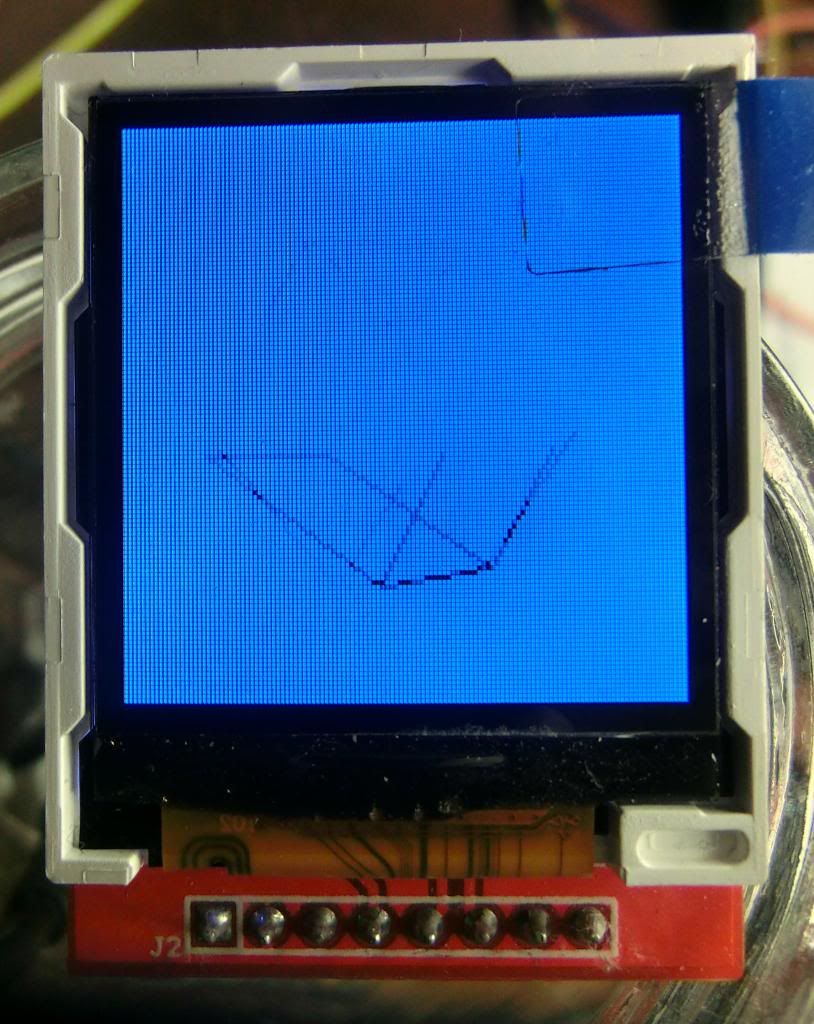
Link to a video:
https://www.youtube.com/watch?v=y5f-VNBxgEk&feature=youtu.be
==========================
Features:
- Very FAST!, expecially with Teensy 3.x where uses hyper fast SPI.
- It uses just 4 or 5 wires.
- Compatible at command level with Adafruit display series so it's easy to adapt existing code.
- It uses the standard Adafruit_GFX Library (you need to install).
- SPI transaction compatible (only where supported, actually only Teensy3 but soon more)
- Working with IDE 1.0.6, 1.5.8 (or newer), Energia (soon)
- Working with Arduino's (8 and 32 bit), Teensy 3, Teensy 3.1 and Teensy LC
- Working with Energia supported MCU (not yet but really soon)
- A Fast SPI DMA for Nucleo F411RE porting from MasudaNaika https://github.com/MasudaNaika
here: http://developer.mbed.org/users/peu605/code/TFT_ILI9163C/
Pay Attention to connections!!!!:
- This display has logic at 3V3 volt so YOU NEED A VOLTAGE CONVERTER if you plan to use with arduino.
If you try to connect directly you can burn it very fast so PAY ATTENTION!
- My display works at 3V3 volt and uses 3V3 for logic but LED background has resistor for 5V.
Your can be different so carefully check out before connect it.
- Library works only in SPI mode by using MOSI,SCLK and a CS pin plus an additional pin for DC (or RS).
I've used also the reset pin but you can save it by connect it at 3V3 volt and use the constructor without
the reset pin. The initialization routine will automatically use the software reset.

- People using Teensy3 should remember that have to choose for CS and DC a pin that should be:
pins:2,6,9 or 10,15 or 20,13 for CS and DC, any for RST (but you can connect RST to +3v3 and forget it.
Backgrounds:
I got one of those displays from a chinese ebay seller but unfortunatly I cannot get
any working library so I decided to hack it. ILI9163C looks pretty similar to other
display driver but it uses it's own commands so it's tricky to work with it unlsess you
carefully fight with his gigantic and not so clever datasheet.
My display it's a 1.44"", 128x128 that suppose to substitute Nokia 5110 LCD and here's the
first confusion! Many sellers claim that it's compatible with Nokia 5110 (that use a philips
controller) but the only similarity it's the pin names since that this one it's color and
have totally different controller that's not compatible. Altrough I discovered that it's not
128x128 but 128x160 (!??)... Check links below to see if it's similar to yours.
http://www.elecrow.com/144-128x-128-tft-lcd-with-spi-interface-p-855.html
This TFT it's really cheap but has surprising features since it support very high speed SPI trasfer
(over 40Mhz tested!) and can be used as frame buffer, colors are quite tunable and has a tons of settings.
It also support repetitive serial transfer so it can react very fast.
BLACK, RED or ...
There's different strain of this display on ebay, I have try to tracking all of them but may missing some 		species! Actually the more popular has a RED pcb and a BLACK pcb that are completely same pcb but mount a 		different display that need some tweaking, in particular RED ones need offset but also some tweak for 			colors, etc. In the .h file in the library try to comment out one of the presets:
//#define __144_RED_PCB__
#define __144_BLACK_PCB__
//#define __22_RED_PCB__
Code Optimizations:
The purpose of this library it's SPEED. I have tried to use hardware optimized calls
where was possible and results are quite good for most applications.
Of course it can be improved so feel free to add suggestions.
Needed stuff you have to install first!!!
This library use Adafruit GFX library as all my TFT,OLED and LCD libraries:
(Remember to update GFX library often to have more features with this and other library!)
https://github.com/adafruit/Adafruit-GFX-Library
	Since Adafruit are quite reluctant to update often I have a 100% compatible one that it's faster and has
	more features, faster char rendering, ability to use different fonts etc.
https://github.com/sumotoy/Adafruit-GFX-Library
It's 100% compatible with the Adafruit one so don't worry about.
Wiring:
You are a newbie and need help? Here's:
This display has 8 pin (at the time I'm writing this):

TFT side   -------------------- microprocessor
- Vcc		-->		+3V3V(!!!!)
- Gnd		-->		Gnd
- CS		-->		CS pin (3v3 level!)
- RST		-->		connect to a MCU pin or tie to +3V3
- A0		-->		DC or RS pin (3v3 level!)
- SDA		-->		Mosi (3v3 level!)
- SCK		-->		Sclk (3v3 level!)
- LED		-->		Some display need a resistor (see note below)
- Note about led:
Some display have an internal resistor to limit current, you see on the back of the display, following LED pcb trace with your eyes and if you see a resistor (100 Ohm mine) you can connect this line directly to +5V. But be careful do not try connect to 5V before you check the presence of this resistor on pcb, you can try first by using a resistor of 220 ohm, if the image looks very dark, try 100 and if still very dark, tie directly to 5v.
Utility included:
Included you will find LCD Image Converter a free utility to convert in code a 24bit image.
https://code.google.com/p/lcd-image-converter/
see example bigPicture.ino.
I have included datasheet as well.
'''''''''''''''''''''''''''''''''''''''''''''''''''''''''''''''''''''''''''''''''''''''''''''''''''''''''''''''''''
Special Thanks:
Thanks Adafruit for his Adafruit_GFX!
Thanks to Paul Stoffregen for his beautiful Teensy3 and high speed SPI magic.
+++++++++++++++++++++++++++++++++++++++++++++++++++++++++++++++++++
Version:
0.1a1: First release, compile correctly. Altrough not fully working!
0.1a3: Some bugfix, still some addressing problems, partial rotation solved.
0.1b1: Beta version! Fully working but still not tested with Arduino and DUE (altrough it compile)
0.2b2: Code cleaned and added support for 2.2" RED PCB displays.
0.2b4: Bug fixes and added color space support.
0.3b1: Complete rework on Teensy SPI based on Paul Stoffregen work
SPI transaction,added BLACK TAG 2.2 display
0.3b2: Added 24bit image display code and example.
++++++++++++++++++++++++++++++++++++++++++++++++++++++++++++++++++++++++++
Legal Notes:
This library it's free to use but if you port for other MCU or include in distribution or whatever you have
to leave intact the readme inside the library, add your text about modifications but leave intact the text
in the .h file.
If you included in distributions please leave me a note.
If you porting for other MCU or IDE, leave me a note, I will included in the readme here the link.

I'm not responsable for any damage created by using this library, it was developed for the community and
I uses my spare time to support it